
SendGrid Email Activity Tracking Setup
A step-by-step guide to manually configure SendGrid event webhooks for Novu activity tracking.
If the API key used in your Novu SendGrid integration does not have the required permissions, the automatic setup will fail with an access forbidden error. This indicates that Novu lacks the permissions needed to configure the webhook on your behalf.
This guide will walk you through resolving this issue.
Step 1: Update SendGrid API key permissions
First, you need to update your API key in your SendGrid account to grant the necessary permissions.
- Log in to your SendGrid account.
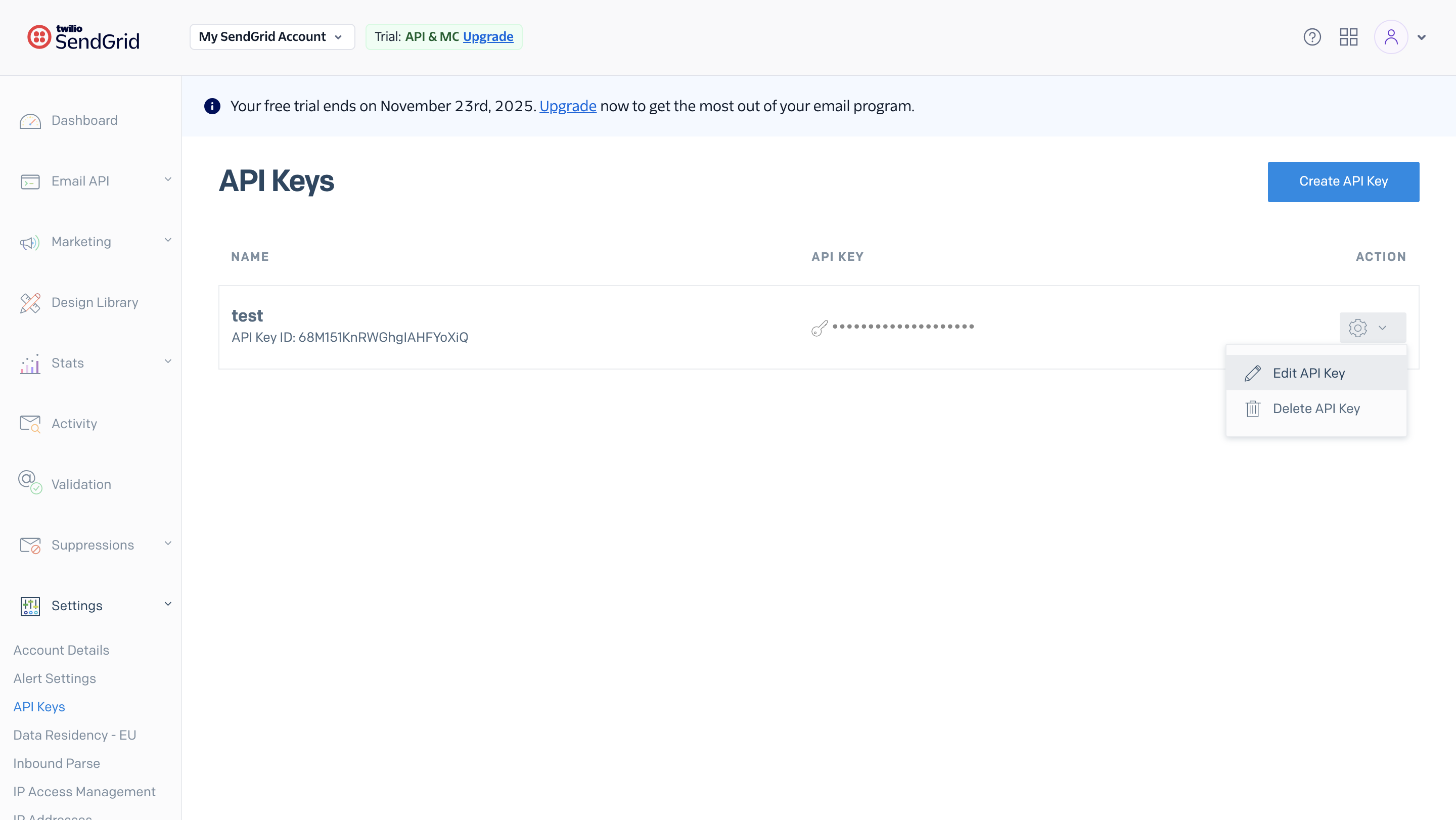
- Under Settings, click API Keys.
- Choose whether to edit an existing key or create a new one:
- To create a new API key, click Create API Key.
- To update an existing key, click the settings icon next to it and select Edit API Key.
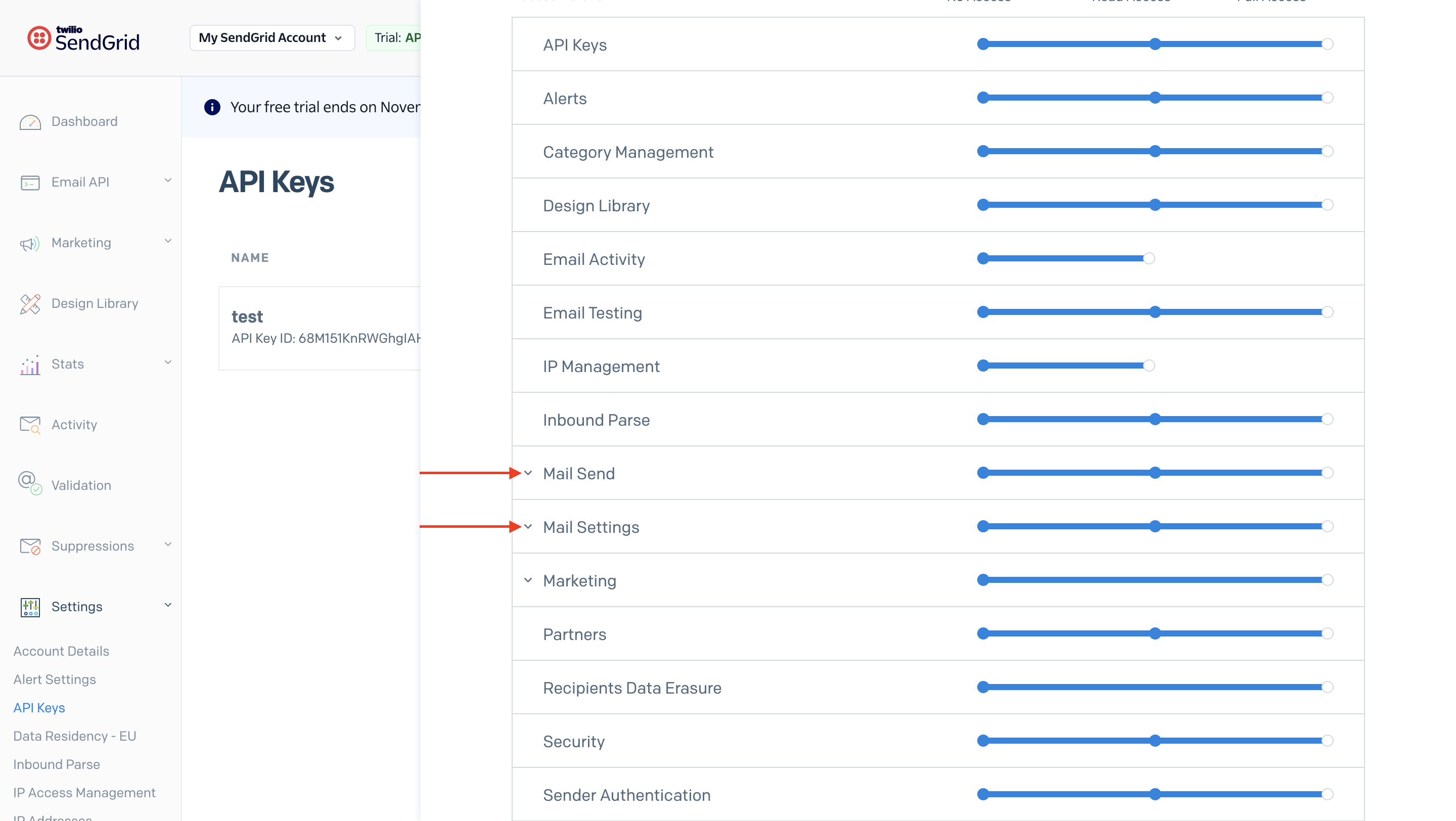
- Set the key permissions to either:
- Full Access, or
- Custom Access with at least the following enabled:
- Mail Send
- Mail Settings
- If you created a new key, return to the Novu dashboard and update your SendGrid integration settings with the new API key.
Step 2: Enable activity tracking in Novu
Once your API key has the correct permissions, return to your Novu dashboard to complete the setup.
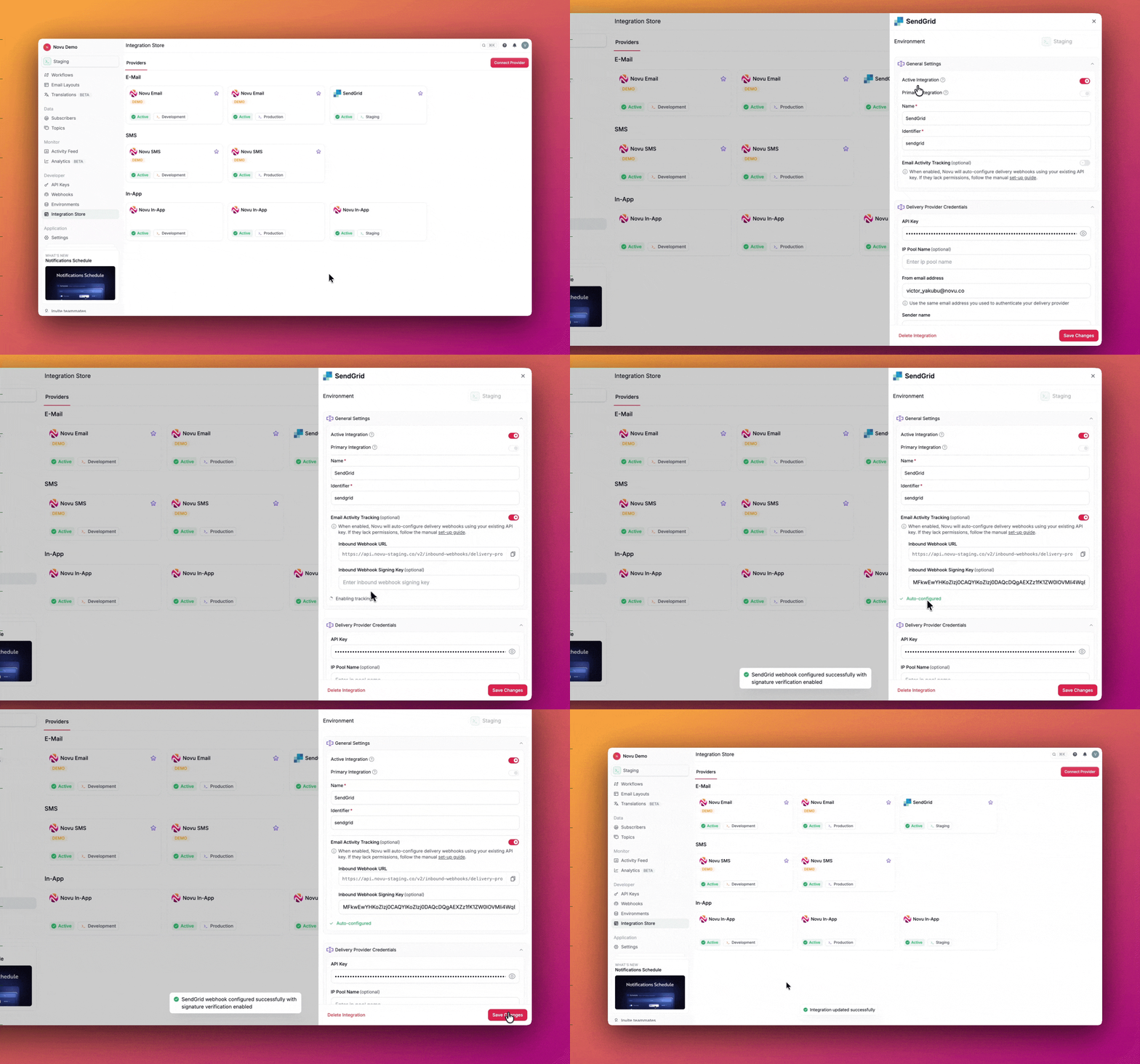
- Navigate to the Integrations page and select your SendGrid integration.
- Click the Email Activity Tracking toggle to enable it.
With the updated permissions, Novu should now successfully auto-configure the webhook for you. You should see a green checkmark indicating that the webhook is active. If you see this, your setup is complete.
Multiple SendGrid integrations
Each Novu SendGrid integration has its own Inbound Webhook URL (it includes a unique integrationId). Your SendGrid Event Webhook Post URL must match the integration that actually sends your emails.
If you use more than one SendGrid integration, pick one primary integration for activity tracking and point SendGrid to that URL. Disable activity tracking on unused integrations to avoid confusion.
Step 3: Manual configuration (only if auto-configuration fails)
If the automatic configuration fails for any reason, or if you prefer to set it up manually, follow these steps.
Part 1: Configure the webhook in SendGrid
-
In your Novu SendGrid integration settings, enable the Email Activity Tracking toggle to reveal the Inbound Webhook URL.
-
Copy this Inbound Webhook URL.
-
Log in to the SendGrid dashboard.
-
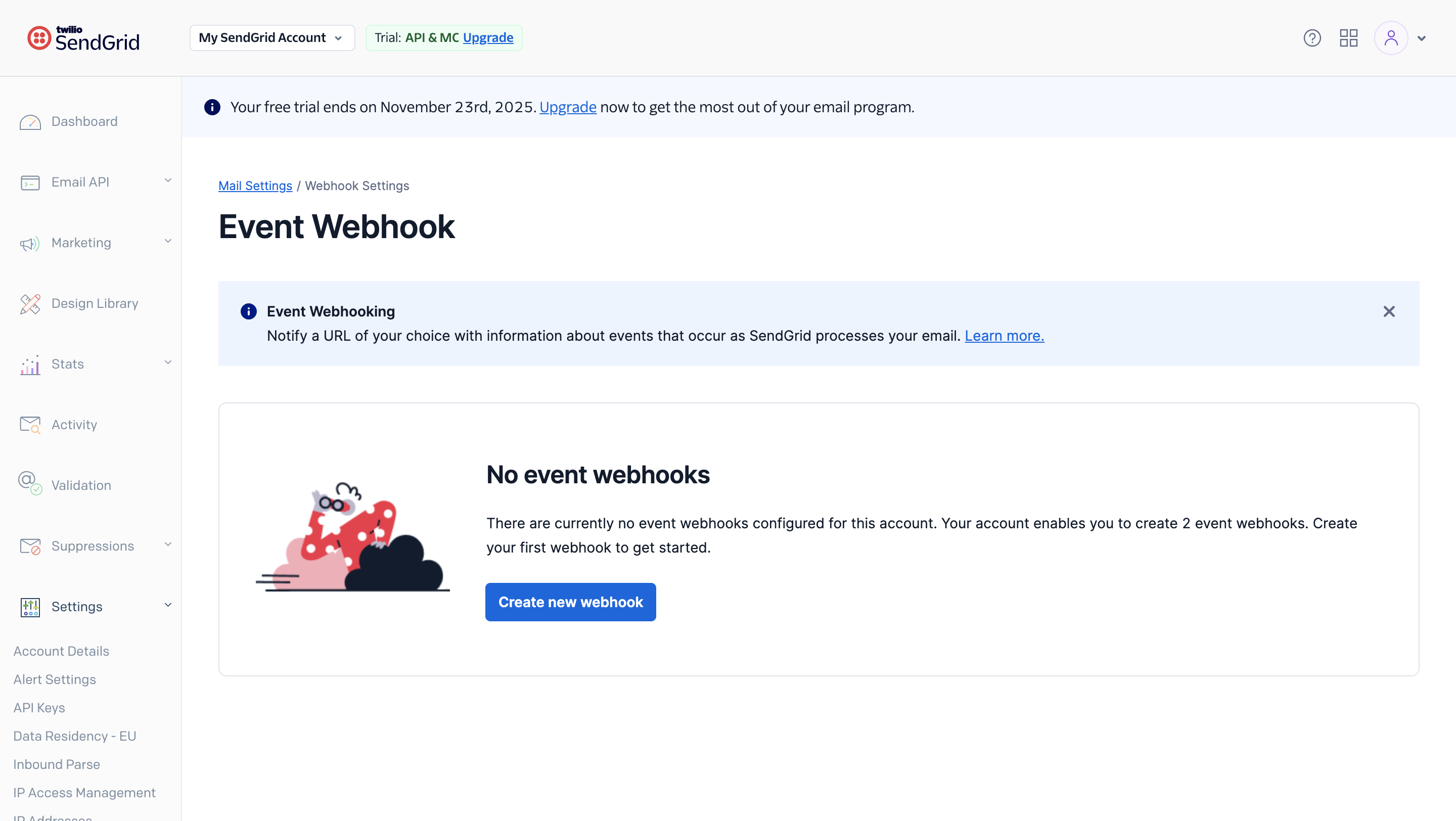
Go to the Settings page, and click Mail Settings.
-
Click on Event Webhook.
-
Click Create new webhook
-
Give the webhook a friendly name.
-
Paste the Inbound Webhook URL copied from Novu into the Post URL field.
-
Under Actions to be posted, enable at least the events you want Novu to process:
SendGrid action Novu activity status Outbound webhook event (if enabled) Delivered deliveredmessage.deliveredOpen openedmessage.seenBounce bouncedmessage.failedDropped droppedmessage.failedBlocked blockedmessage.failed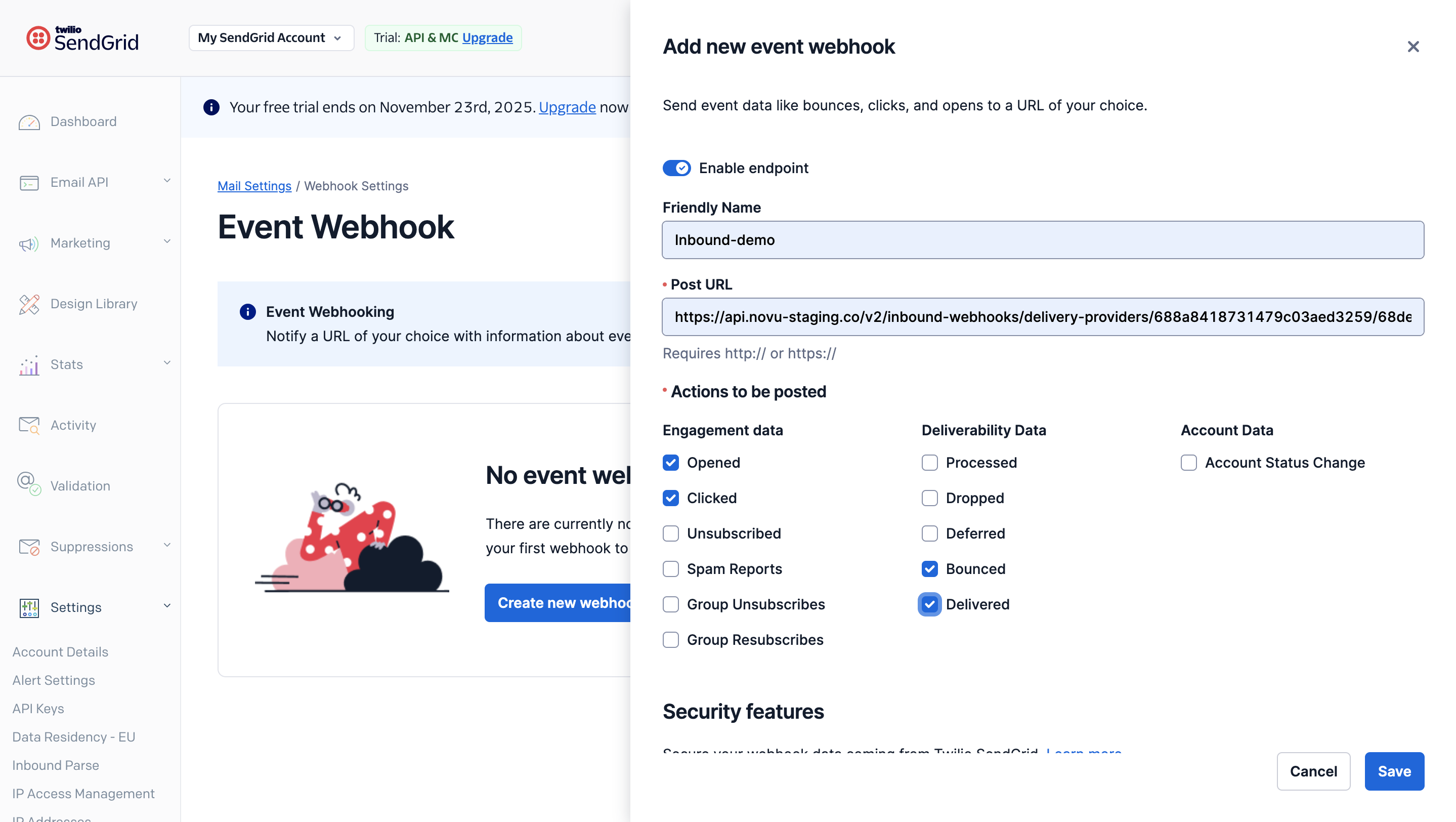
-
Under Signature Verification, enable Enable Signed Event Webhook.
-
Click Save.
Part 2: Add the signing key to Novu (Recommended)
For enhanced security, you should add a signing key to verify that webhooks are coming from SendGrid.
- Log in to the SendGrid dashboard.
- Go to the Settings page, and click Mail Settings.
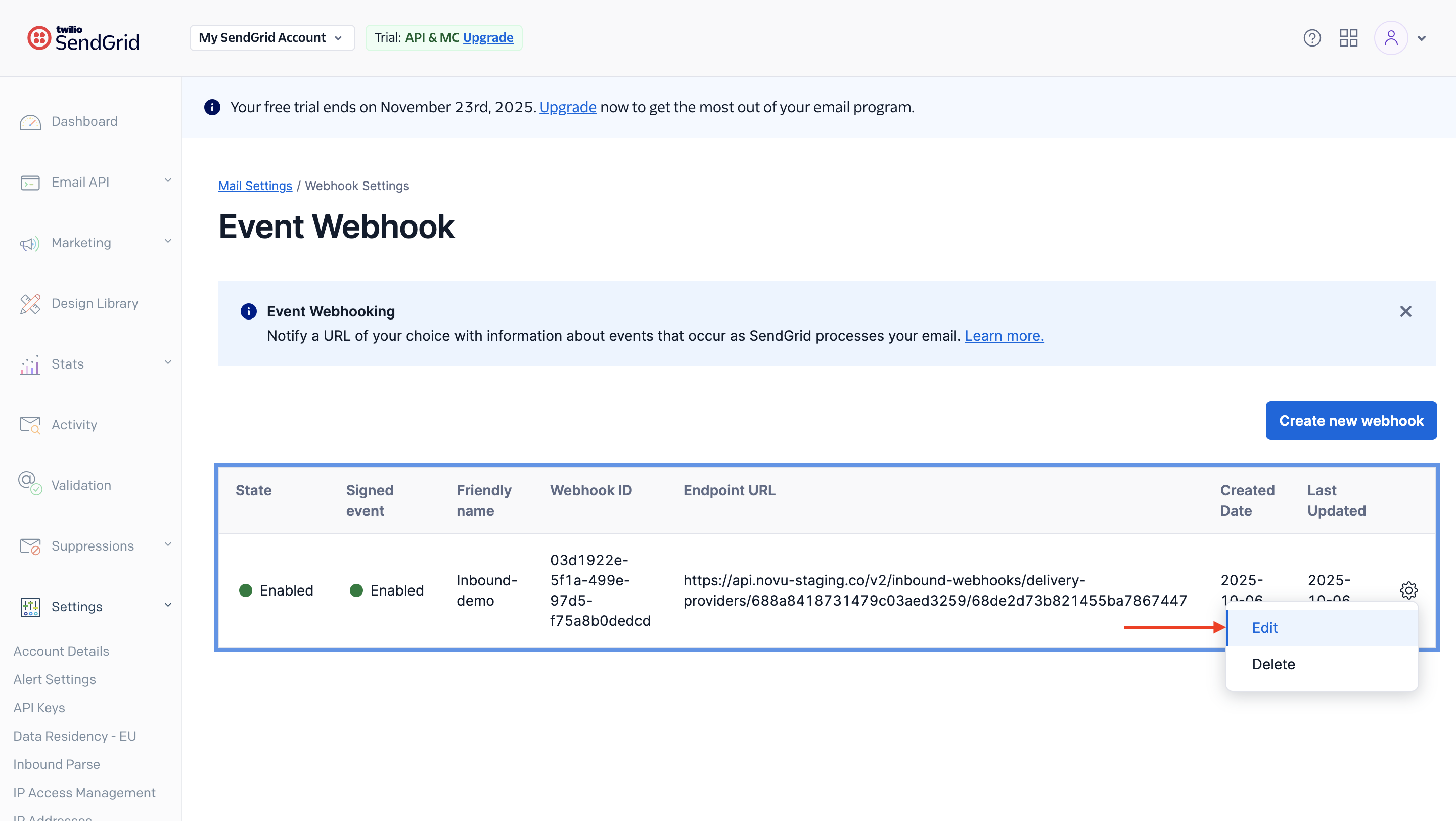
- Click the settings icon next to the webhook — a menu will appear.
- Click Edit.
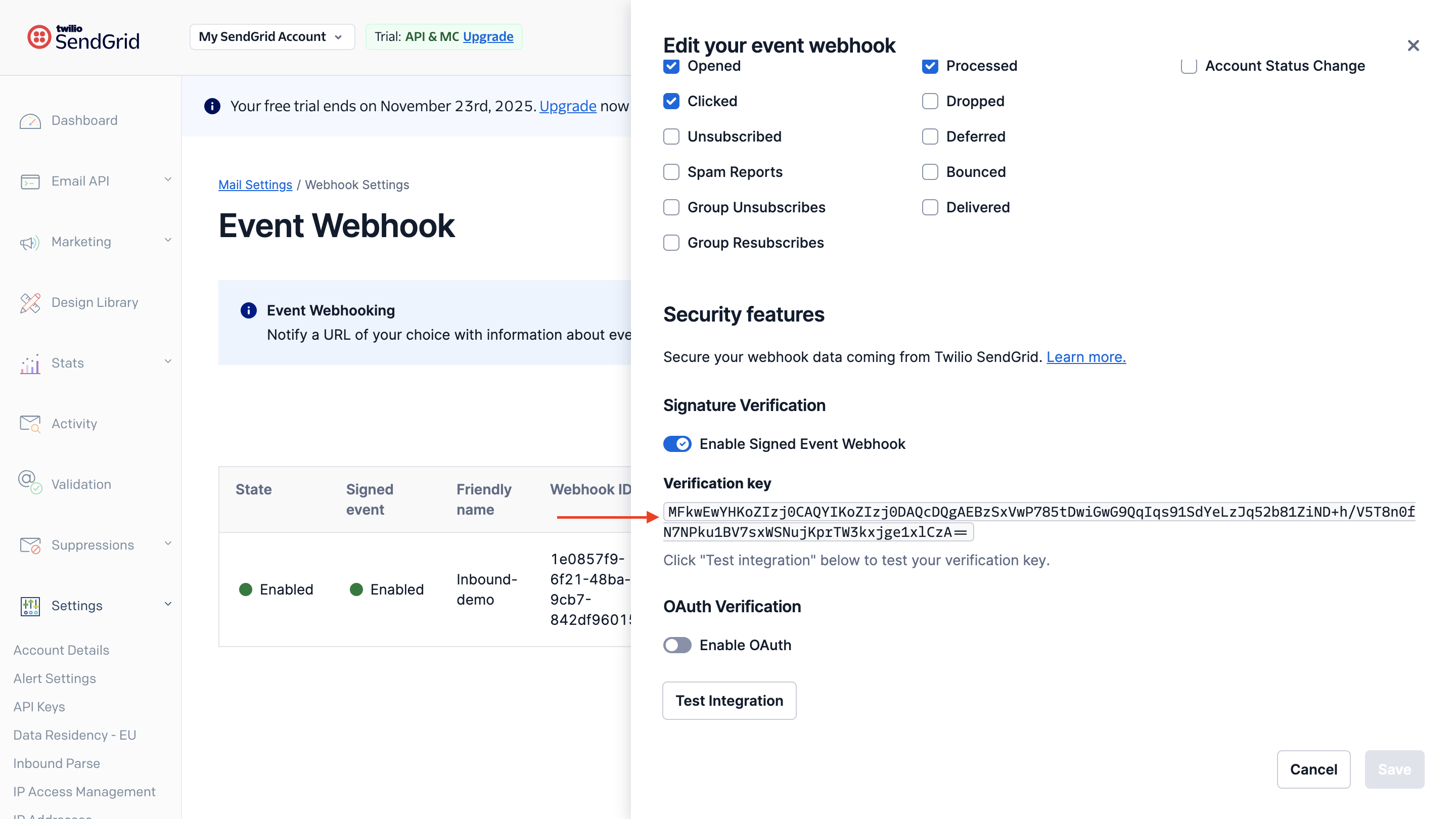
- Enable Signed Webhook Verification if it hasn't been enabled. A Verification Key will be displayed.
- Copy the verification key.
- Return to your Novu SendGrid integration settings.
- Paste the key you just copied from SendGrid into the Inbound Webhook Signing Key field.
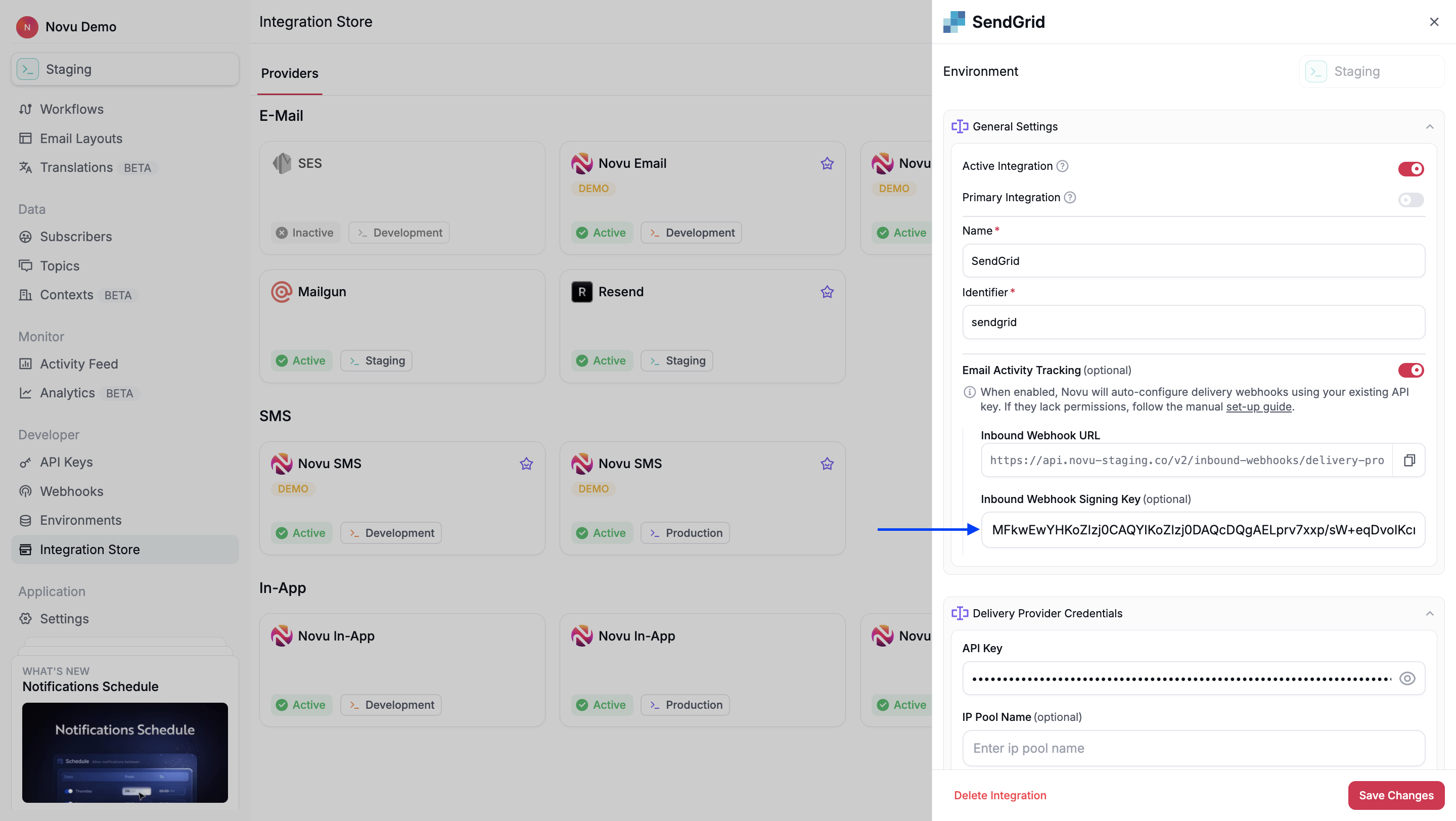
- Click Save.
Your SendGrid integration is now manually configured to send activity data to Novu.
Troubleshooting
Opens appear in SendGrid but not in Novu
Seeing an open in SendGrid's activity feed or in a third-party tool (for example, Datadog) does not guarantee SendGrid posted that event to Novu's inbound URL.
- In SendGrid → Event Webhook → open the webhook that points to Novu → check delivery history.
- Confirm
openevents are listed and return a 2xx response. - Confirm Open is enabled under Actions to be posted on that same webhook (not only on a separate webhook to another service).
- Confirm the Post URL matches the Inbound Webhook URL from the SendGrid integration that sent the email.
message.sent works but message.delivered or message.seen does not
message.sent fires when Novu hands the email to SendGrid. message.delivered and message.seen only arrive after SendGrid posts back to Novu's inbound webhook. See Webhook event types for details.